Authors
Authors are the people who sign posts. Each author has a name, a photo, a biography and an author page on the site that lists their posts. An author can optionally be linked to a NetSuite employee.
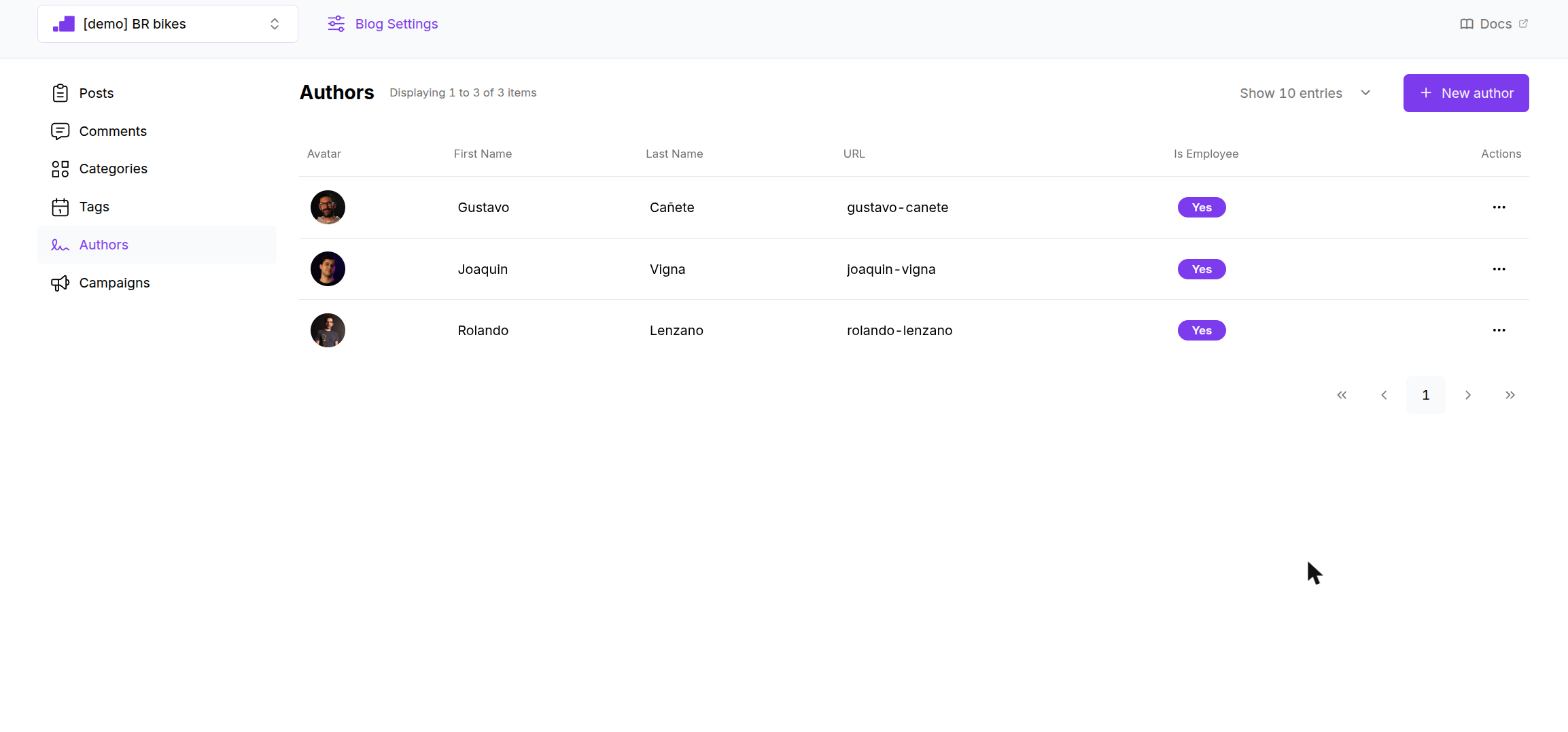
The list shows the active authors of the selected blog with their avatar, first and last name, URL and whether they are linked to an employee. Columns do not sort. Click a row to edit, or use the ⋯ menu for Edit and Remove.
The author list shows every author on one page regardless of the page size you choose.
Creating an author
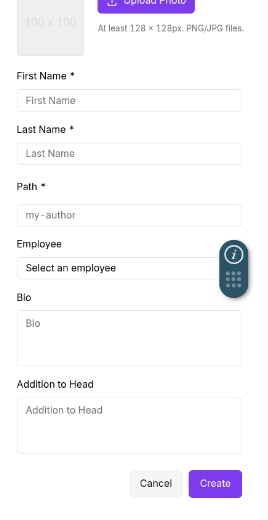
Click New author. A panel slides in from the right.
| Field | Required | Rules | Notes |
|---|---|---|---|
| Photo | No | PNG or JPG, at least 128 × 128 px, up to 5 MB | Shown as the avatar in the dashboard. Click Upload Photo, or Remove Image to clear it. |
| First Name | Yes | Up to 30 characters | |
| Last Name | Yes | Up to 30 characters | |
| Path | Yes | Lowercase letters, numbers and hyphens, up to 100 characters | The last segment of the author URL: /<blog>/author/<path>. Filled as first-last until you edit it. |
| Employee | No | One of your NetSuite employees | Links the author to an employee record. The list shows Yes in the Is Employee column when set. Nothing on the site changes. |
| Bio | No | Up to 1000 characters | A short biography. |
| Addition to Head | No | Free text | Raw HTML added to the <head> of the author page. |
Click Create. The panel closes and the list refreshes. Editing an existing author shows "Settings saved".
Removing an author
Remove deactivates the author right away. The toasts "Deleting record…" and "Record deleted" confirm it. There is no confirmation dialog.
- Posts keep their author. In the post form the author shows as "(deleted)" until you pick another one.
- On the site, the byline and the author page keep working for existing posts.
Rules to know
- The name shown on the site is set when the author is created. If you later change the first or last name, existing posts may keep showing the original name in their byline. Create a new author when someone's name changes.
- Author paths are not checked for uniqueness.
On the site
When the blog has Display Author on Post Page or Display Author on List Page enabled, posts show "By First Last". The name links to the author page, headed "Articles by First Last", which lists that author's posts.